An all-in-one desktop video toolkit
Frame capture, audio extraction, sprite sheets and preview clips — fast, local, with GPU acceleration and batch processing.
Features
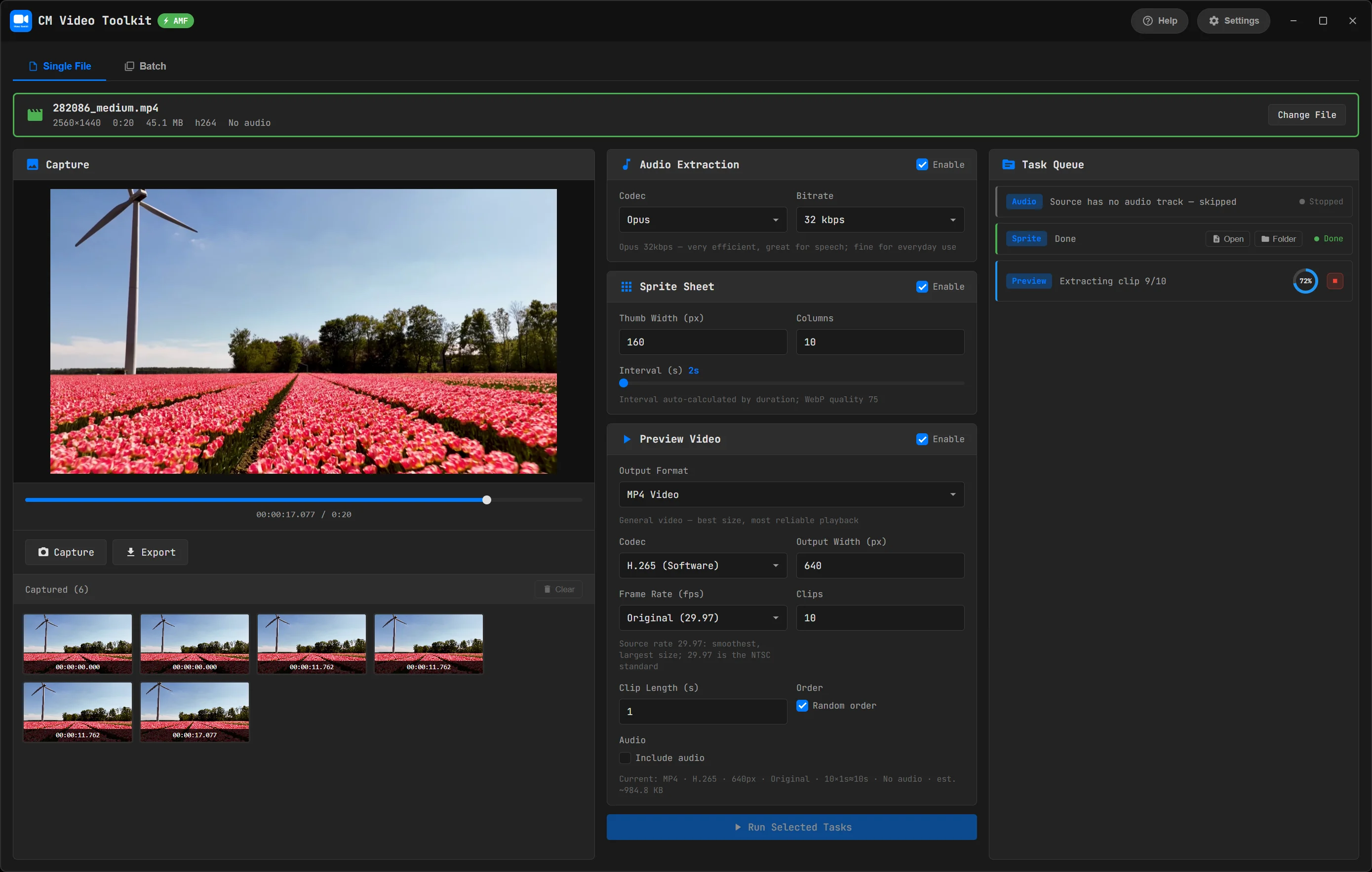
Frame Capture
Pick frames on a timeline or auto-extract by interval. Export PNG / JPG / WebP, scaled by height (downscale only) — e.g. a 720p poster from a 4K source.
Audio Extraction
Pull audio to MP3 or Opus with selectable bitrates. Multi-track sources (MTS/MKV with several languages) are detected — pick tracks and export each to its own file.
Sprite Sheet + VTT
Generate a thumbnail sprite sheet and a WebVTT file for hover-to-preview on a player's progress bar.
Preview Video
Sample multiple clips and stitch them into a quick preview — export as MP4, GIF or animated WebP.
Batch Processing
Queue many videos, apply one set of settings, and watch each task's progress per file. Outputs land in a folder named after each video.
Hardware Acceleration
Auto-detects available GPU encoders — NVENC (NVIDIA), QSV (Intel), AMF (AMD), VideoToolbox (macOS) — for much faster preview export.
Presets
Save your favorite task combinations and reuse them with one click.
Local & Private
Everything runs on your machine. No uploads, no tracking, no data collection.
Bilingual
English / 中文 interface that follows your system language.
Formats & Encoding
Input
mp4, mkv, avi, mov, webm, flv, wmv, ts, m4v
Frames
PNG (lossless), JPG, WebP
Audio
MP3, Opus — multi-track, one file per track
Preview
MP4, GIF, Animated WebP
Video Codecs
H.264 / H.265 — software & GPU (NVENC / QSV / AMF / VideoToolbox)
Sprite
WebP sprite sheet + WebVTT
Download
For Windows 10/11 (64-bit). Fully local — no account, no network required.
Download for WindowsThe installer is unsigned; if SmartScreen warns, choose “More info → Run anyway”.